
Guests order from the table. You run it all from one screen.
Minu brings QR ordering, the floor, the kitchen and payments into one system. Your guests need no app, and your team stops doing the same work twice.
- Split the bill by dish
- mada and Apple Pay
- ZATCA ready
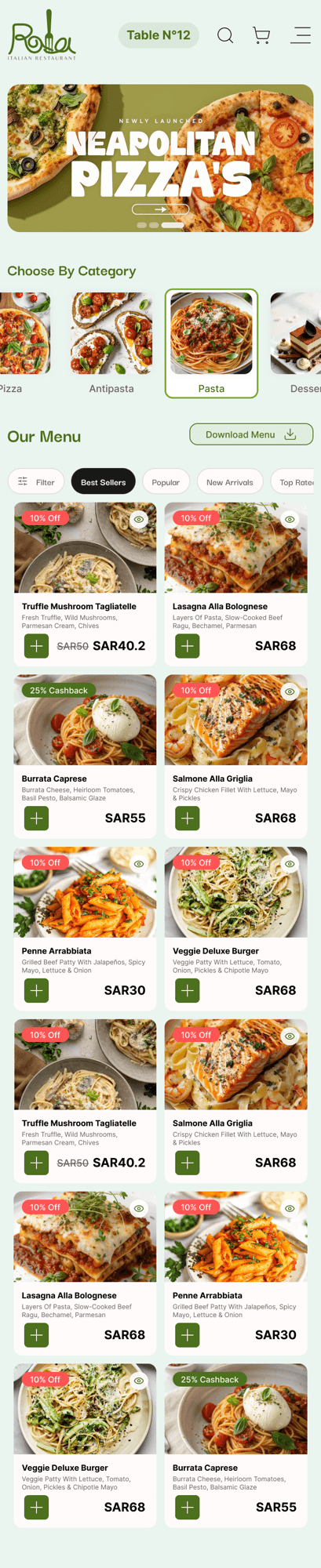
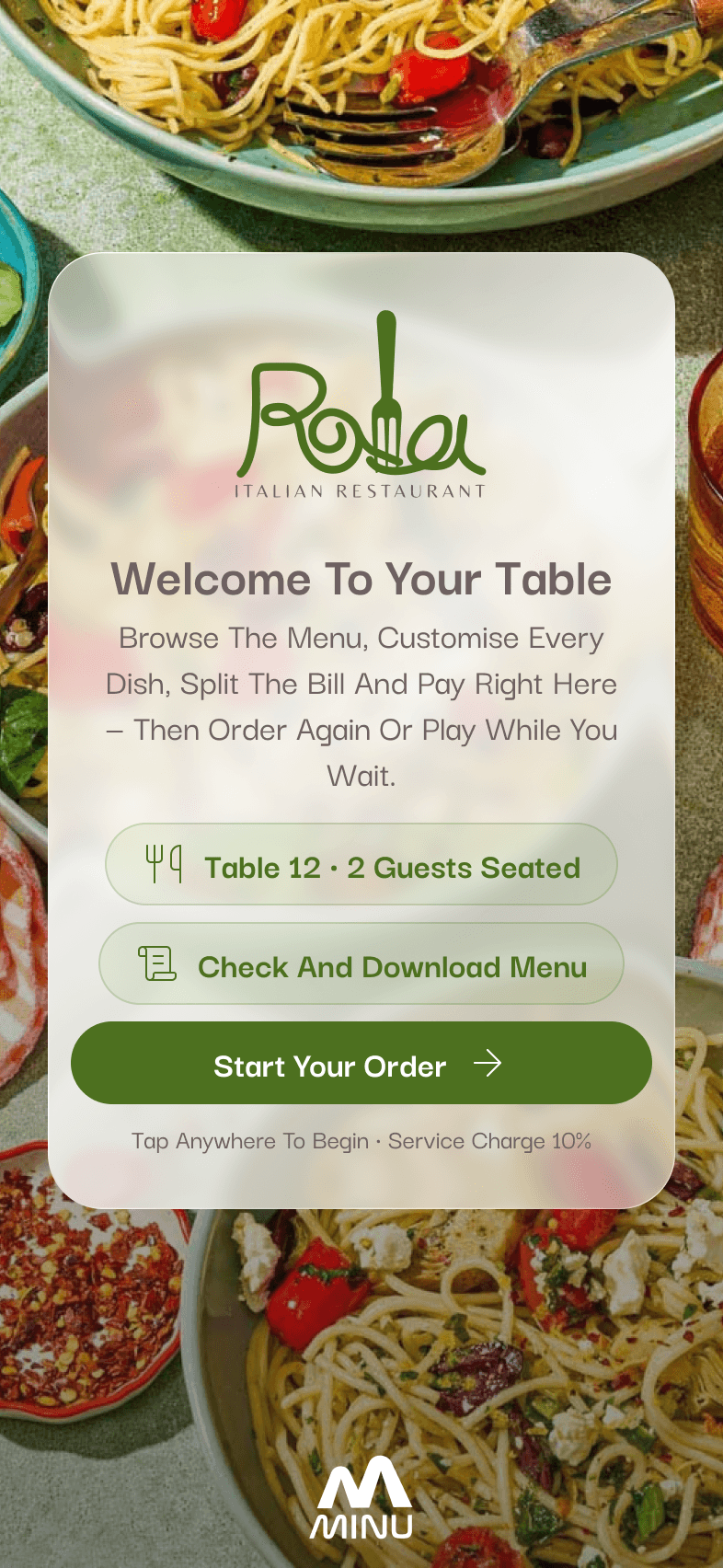
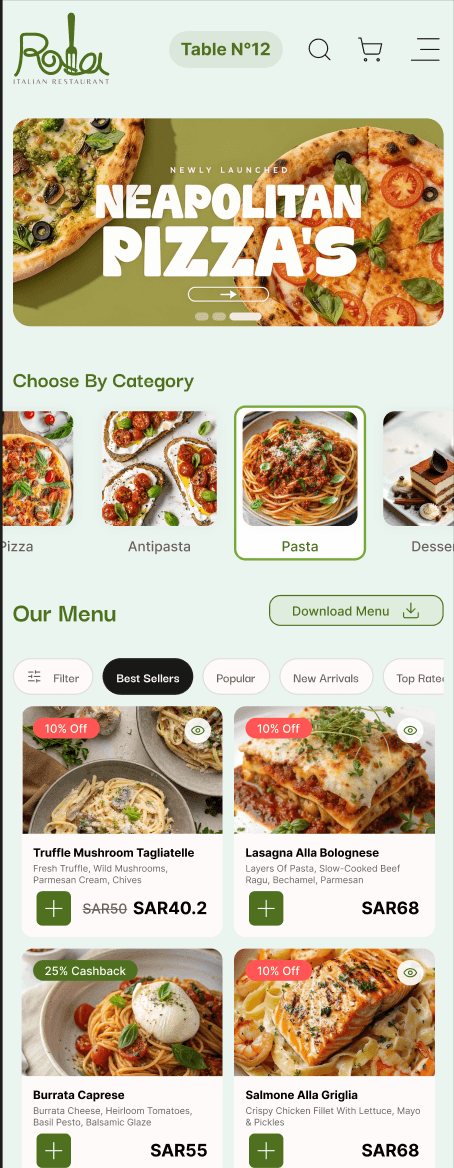
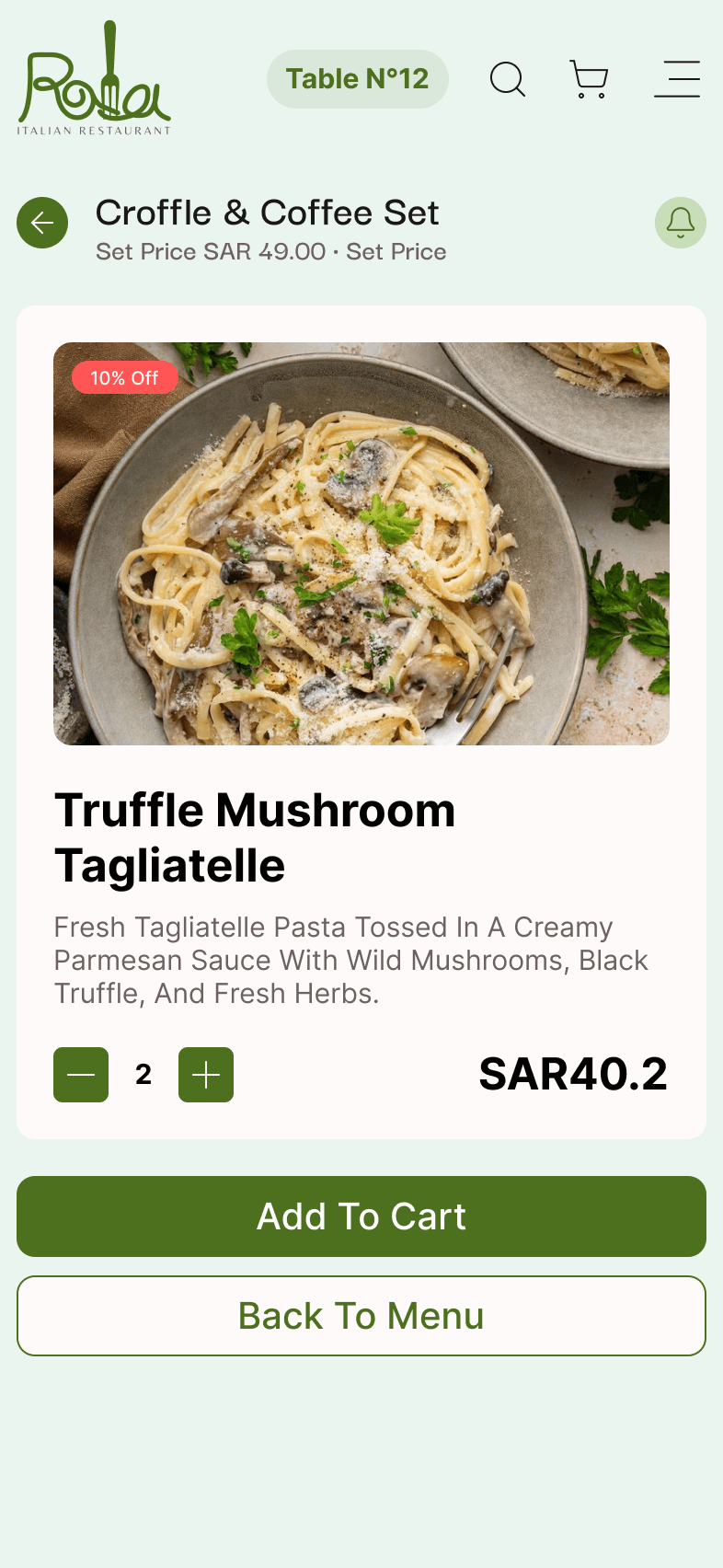
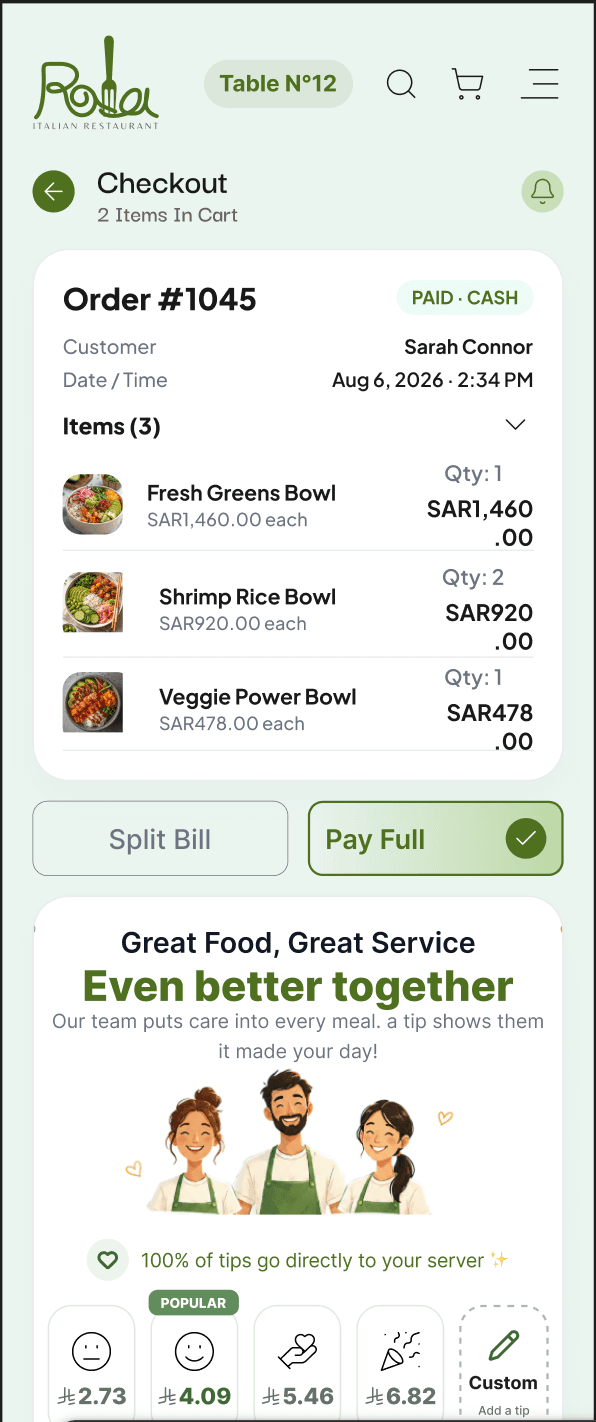
Order sent to kitchen
Table 14 · 3 items
Table 14 paid
SAR 99.00 · card
Trusted by teams at
How it works
A table, from sitting down to walking out.
The slowest part of a meal is never the food. It is the ten minutes after guests decide they are done. Minu removes that gap entirely.
- No card machine at the table
- No waiting for the bill
- Ten minutes back on every table
The system
One system behind the counter.
The till, the waiter’s handheld, the kitchen board and the owner’s laptop are the same web app wearing different permissions. There is nothing to install on anything, which is why a new branch opens with whatever devices it already has.
- 01 / 05On the floor
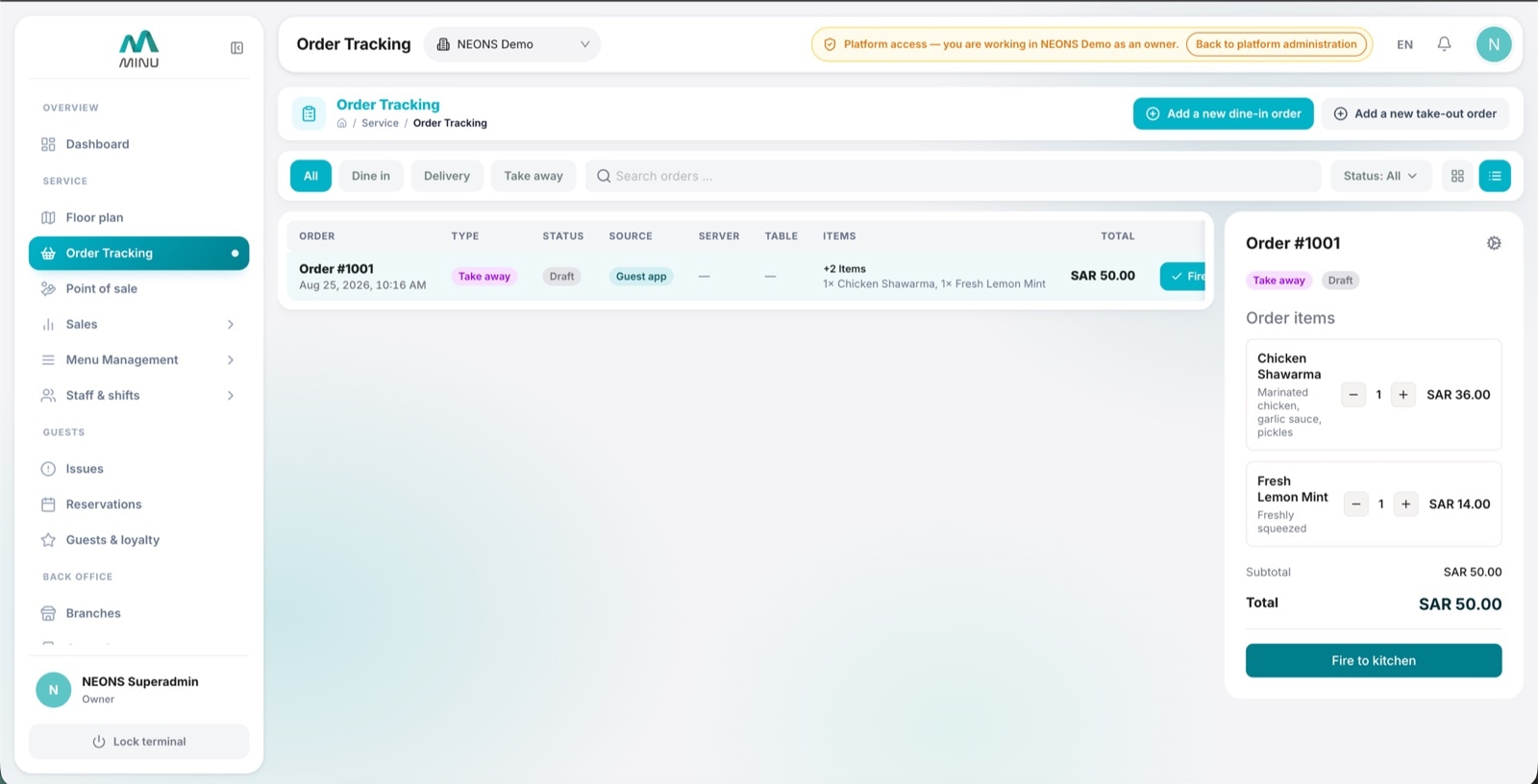
Every order on one board, correcting itself
Dine-in, delivery and take-away in a single view. Each ticket carries where it came from, whether it has been fired, whether it has been paid and how long the guest has been waiting. Anything ordered from the guest app appears here without a person retyping it.
- Fire to kitchen
- Mark as served
- Minutes since served
- Source tag and status filters
- 02 / 05On the floor
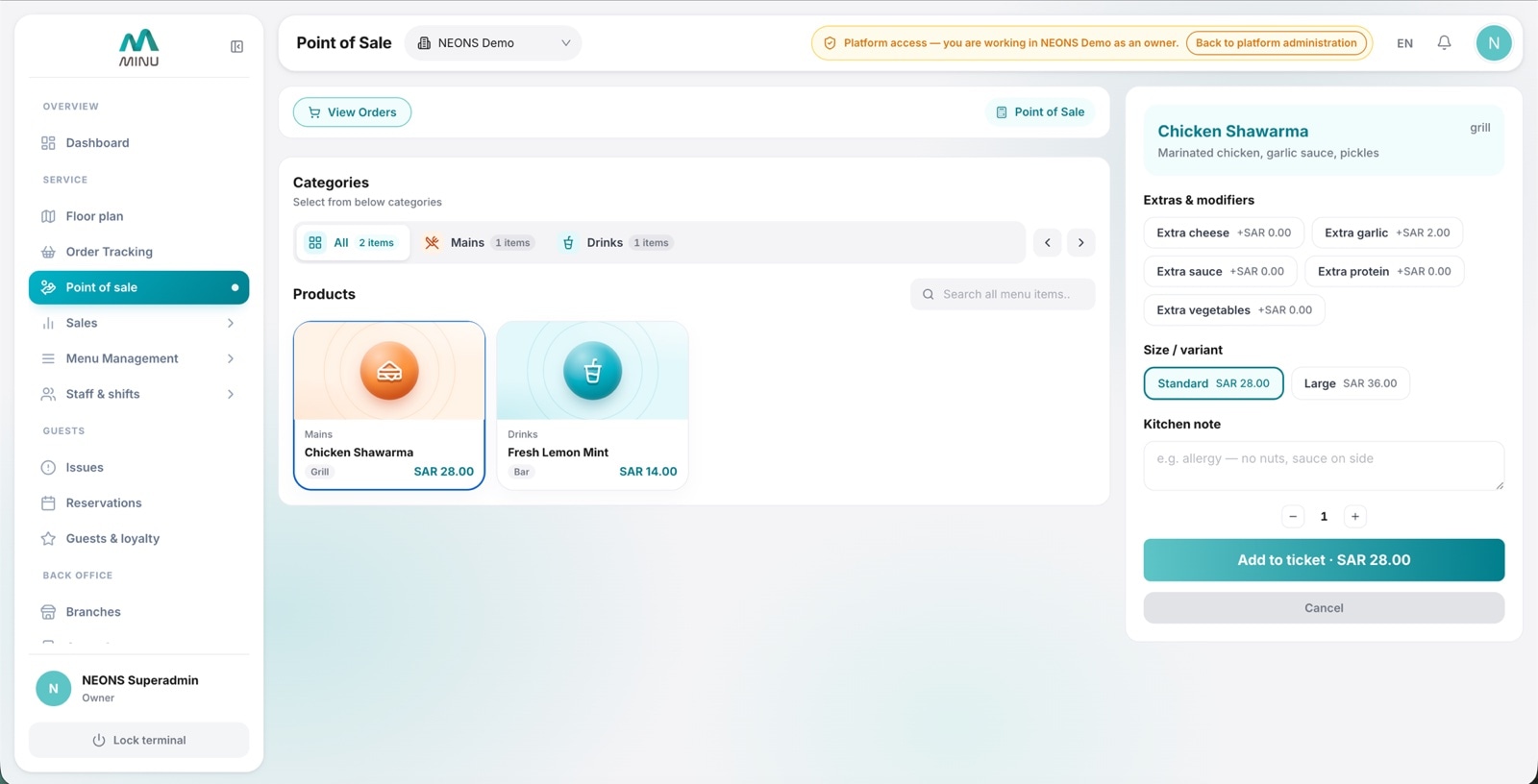
A till that runs in a browser tab
The cashier terminal and the waiter’s handheld are the same screen with different permissions. Categories, search, quantities, discount presets, dine-in or take-away, tip capture and a running total. A new device is ready the moment someone logs in.
- Category and item search
- Discount presets
- Tip capture and server attribution
- Lock the terminal in one tap
- 03 / 05On the floor
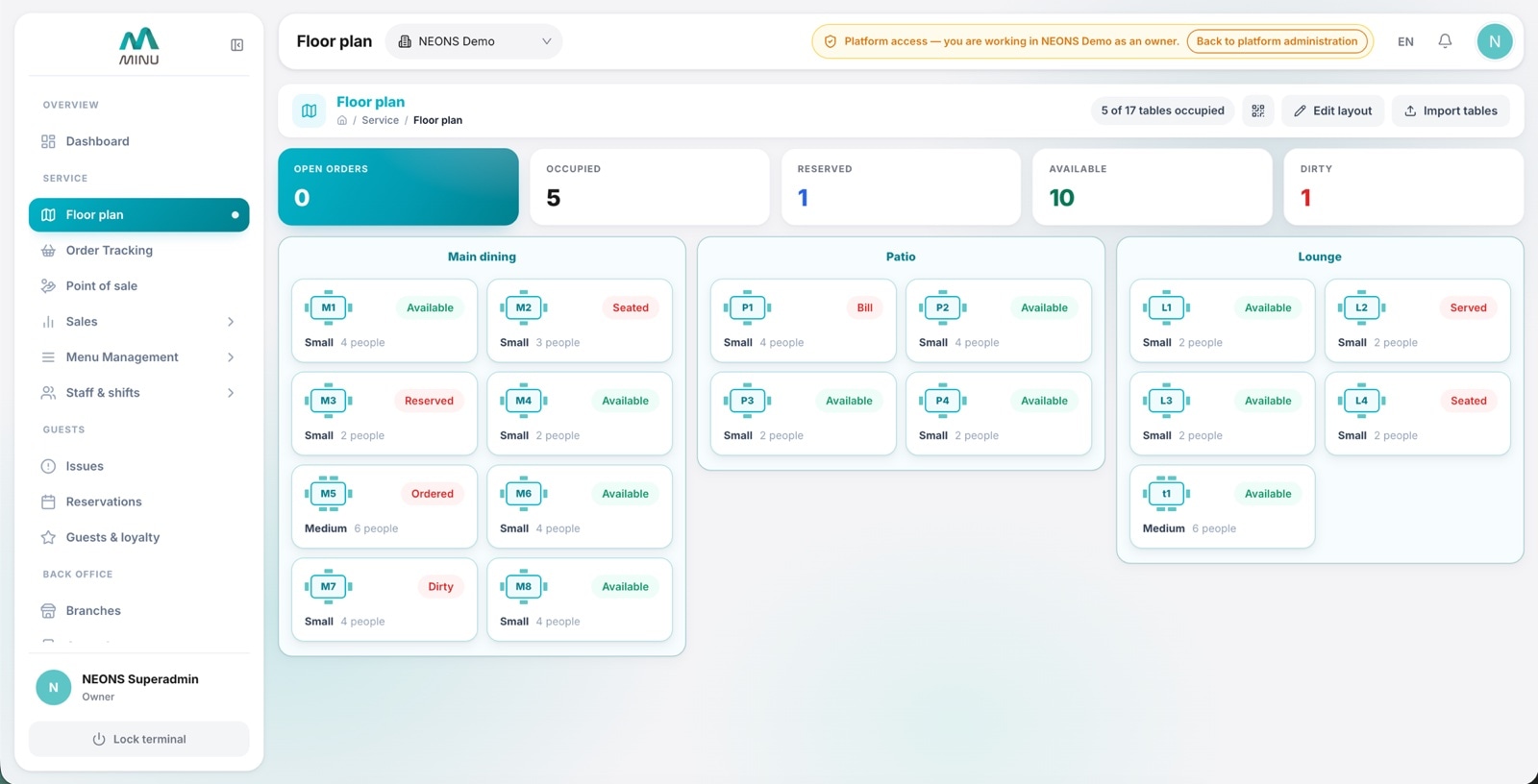
The room on one map, table by table
Draw the venue as it actually is: the main dining room, the patio, the lounge, and every table with its size and how many it seats. Each table shows whether it is free, seated, has ordered, is waiting for the bill or needs cleaning, and the counters at the top tell you how full the house is before you walk it. Move a table, add a section or import the whole layout, and the codes on the tables follow.
- Sections, sizes and seat counts
- Live status on every table
- Edit the layout in place
- Import tables in one go
- 04 / 05Back office
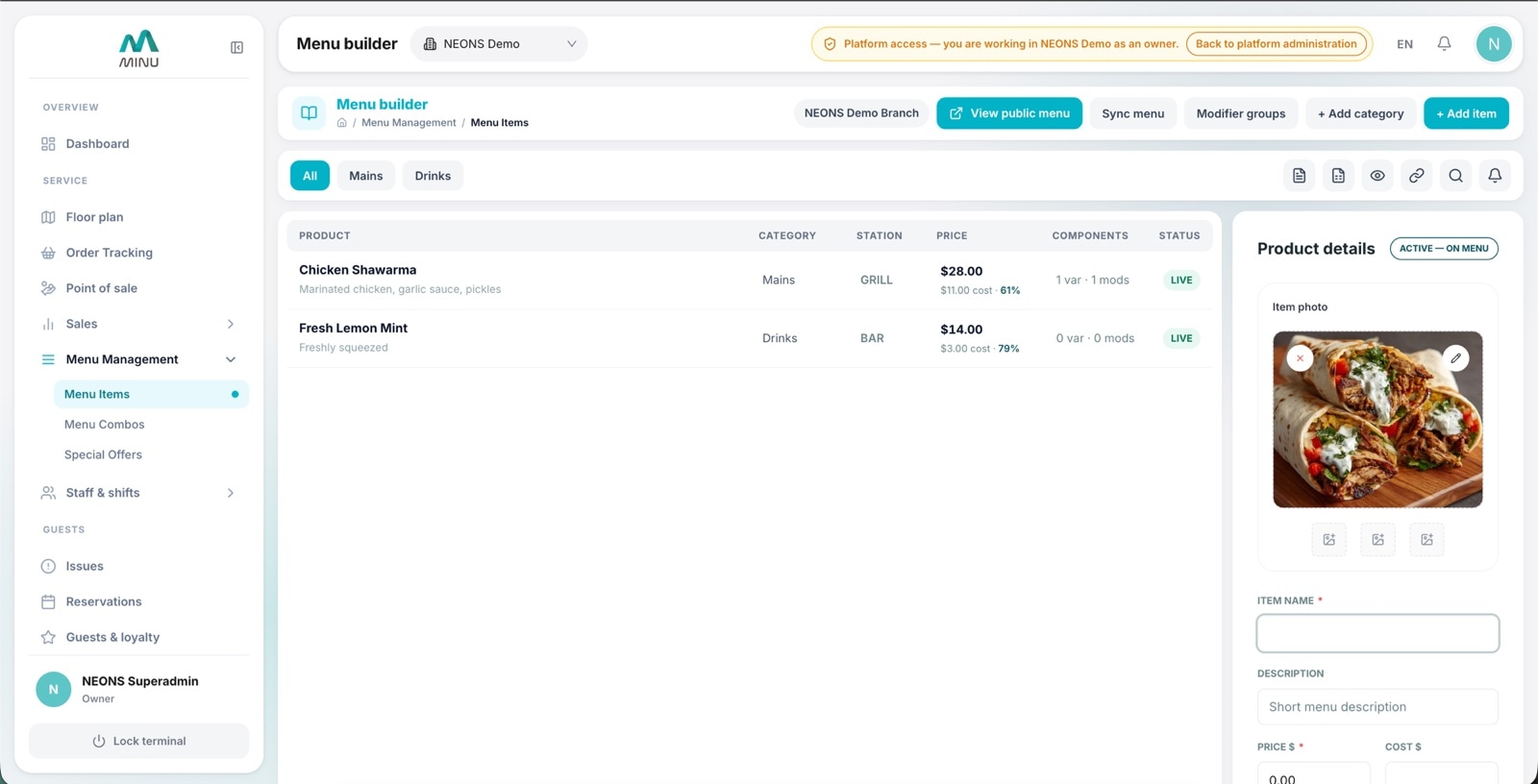
One menu, everywhere it appears
Price, category, prep station, variants and modifiers on one row. Set an item live or hidden and the guest app, the till and the printed QR menu agree within seconds. The public menu is one click away, so you check your work the way a guest would see it.
- Live or hidden per item
- Variants, modifiers and combos
- Prep station routing
- Publish and every screen agrees
- 05 / 05Back office
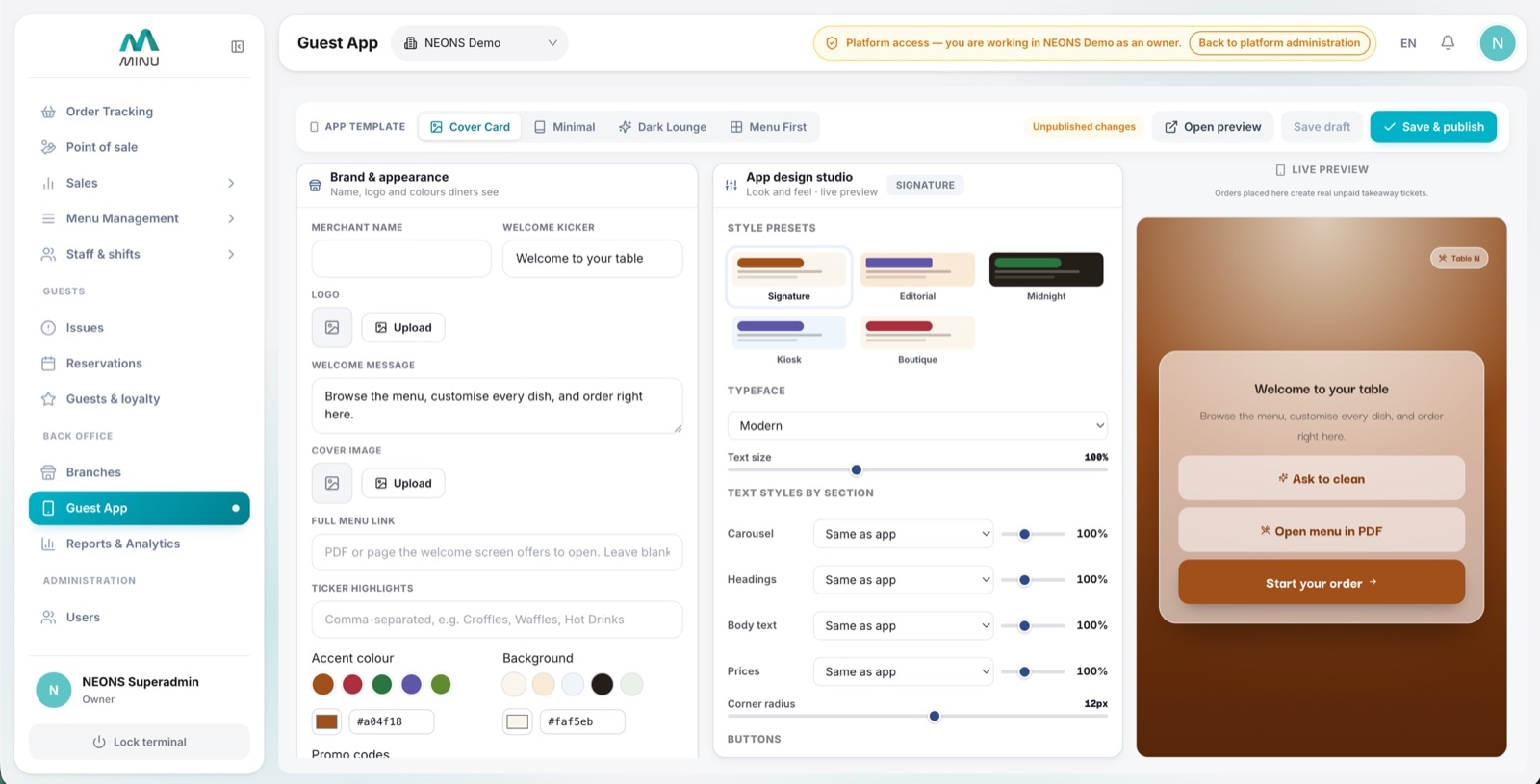
The guest app, edited like a document
Pick a template, drop in the logo, choose an accent and a background, then set the typeface, the text size, the corner radius and the button shape. The panel beside you is the real app redrawing as you type. Everything stays a draft until you press publish.
- Templates and style presets
- Logo and colours
- Typeface, text size and button style
- Draft, then publish
And the rest of the building
Everything else a venue runs on, in the same account and the same permissions.
What clients say
Venues that switched, in their own words.
Owners and managers on what changed on the floor, in the kitchen and at the till.
Our servers stopped running back and forth with orders. Guests scan, order and pay, and the kitchen gets it the same second. Table turns went up without anyone rushing.
 Faisal Al HarbiOwner · Saj House, Riyadh
We change the menu twice a week. Before, that meant reprinting. Now I publish from my phone and every table has the new prices before I finish my coffee.
 Noura Al QahtaniGeneral manager · Bloom Café, Jeddah
The kitchen screen alone was worth it. Tickets arrive at the right station, timers keep everyone honest, and the end of night report matches the drawer.
 Omar SiddiquiOperations lead · Ember Grill, Khobar
Tips go straight to the server who earned them, and they see it arrive. Staff turnover dropped, which I did not expect from a software change.
Lina HaddadCo-founder · Terrace 22, RiyadhOur servers stopped running back and forth with orders. Guests scan, order and pay, and the kitchen gets it the same second. Table turns went up without anyone rushing.
Faisal Al HarbiOwner · Saj House, RiyadhWe change the menu twice a week. Before, that meant reprinting. Now I publish from my phone and every table has the new prices before I finish my coffee.
Noura Al QahtaniGeneral manager · Bloom Café, JeddahThe kitchen screen alone was worth it. Tickets arrive at the right station, timers keep everyone honest, and the end of night report matches the drawer.
Omar SiddiquiOperations lead · Ember Grill, KhobarTips go straight to the server who earned them, and they see it arrive. Staff turnover dropped, which I did not expect from a software change.
Lina HaddadCo-founder · Terrace 22, Riyadh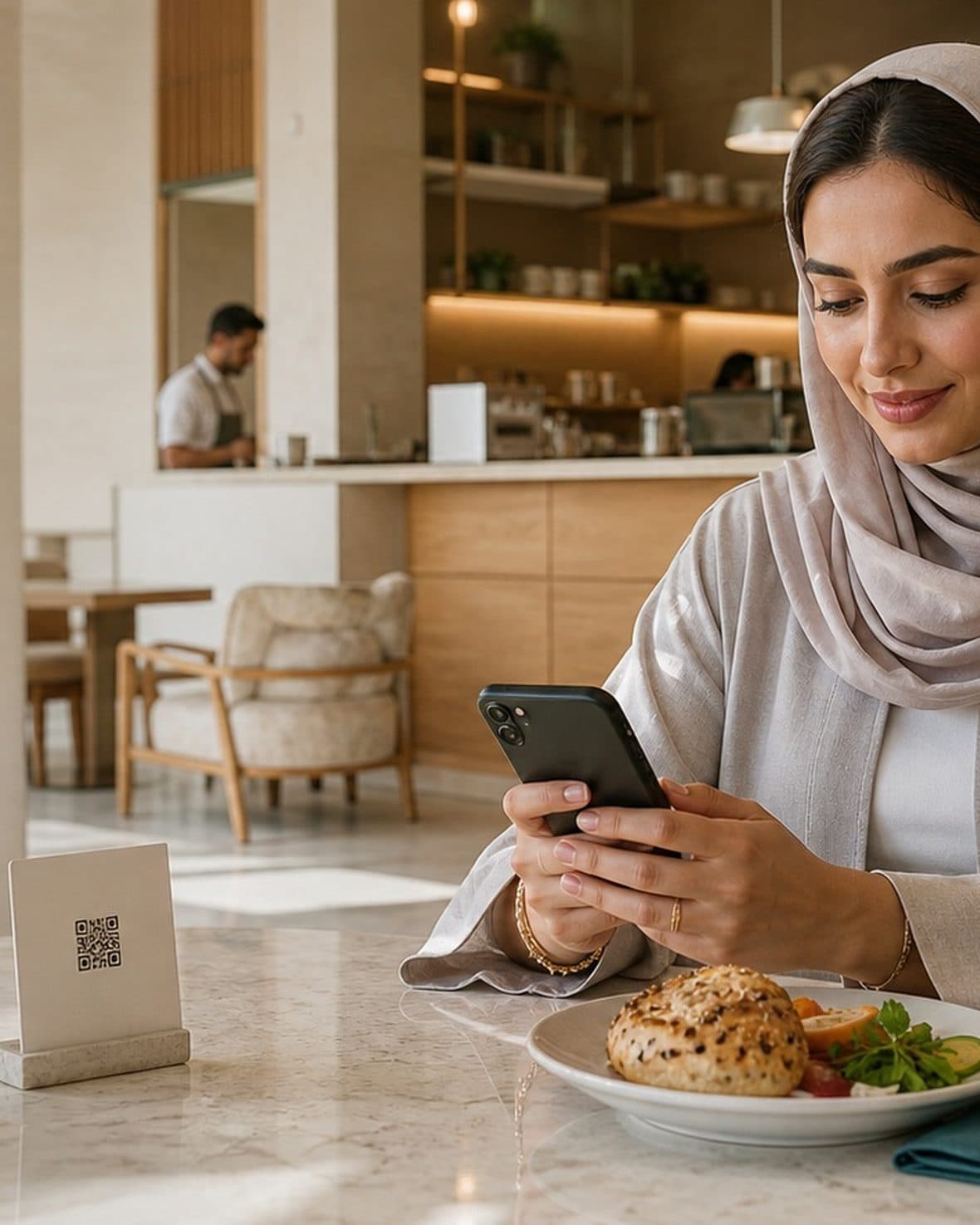
Book a demo
Run one branch on Minu.
Pick your busiest night in your busiest branch. If the floor does not feel different by the second service, walk away.
- A 20 minute call, screen shared, no slide deck
- We build your real menu into a test venue first
- Codes printed and staff trained inside a week
- Nothing to sign for the pilot
FAQ
The questions operators actually ask.
Straight answers on setup, hardware, payments and what happens on day one.
No. A guest scans the QR code on the table and the menu opens in their phone browser. They order and pay there, with no download and no account.
Most venues are live within days. We provision your merchant and first branch, you upload the menu and draw the floor plan, and we print the table codes.
Any tablet or laptop with a browser for the floor and the kitchen screen, and a receipt printer if you still want paper. There is nothing proprietary to buy.
Yes. Each branch has its own floor, kitchen and reports under one merchant account, with staff access set per branch.
Guests pay by card at the table through a hosted, tokenised payment page. Bills can be split, tips are assigned to the server who earned them, and everything reconciles against the order.
Arabic and English across the guest menu, the staff screens and the reports. The guest menu follows the phone language automatically.